
How to log in with IAM
To login with IAM, follow the steps below.
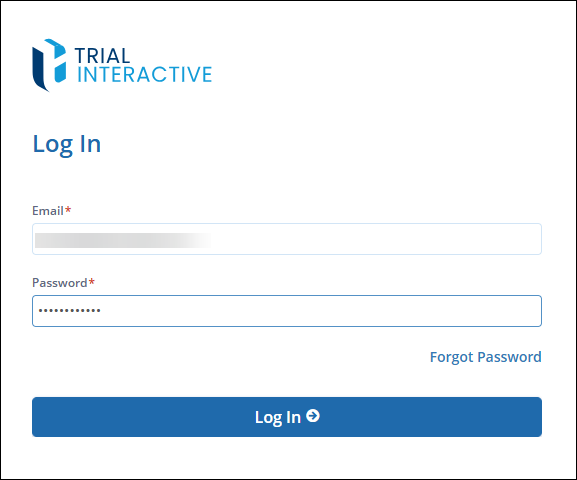
Enter the username and password on the login page.
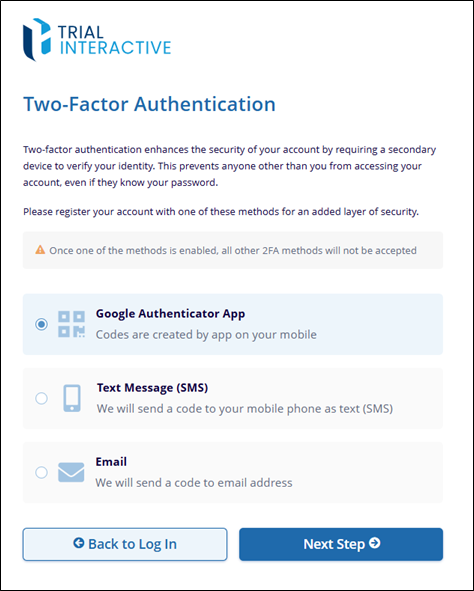
On the Two Factor Authentication page, select any one of the authentication methods i.e., Google Authenticator App, Text Message, or Email etc.
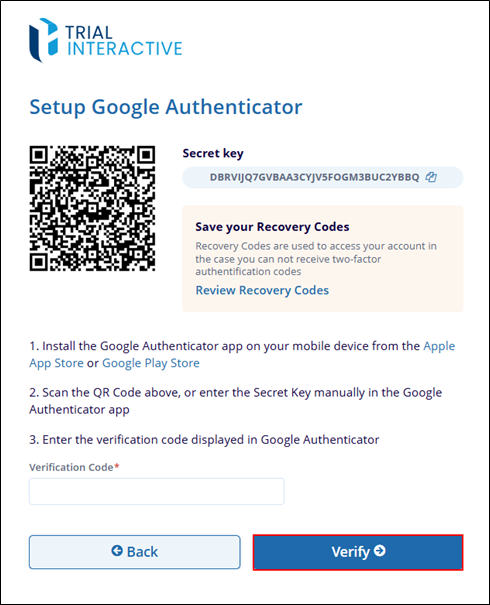
For Google Authenticator App, install the app from Google Play Store, or Apple Play Store. Scan the QA code on the Setup Google Authenticator page or enter the Secret Key in the Google Authenticator app. Enter the verification code displayed in Google Authenticator and click on the Verify button.
For Text Message option, select the Text Message option, add the country from the available dropdown options and enter the phone number registered with the email address.
For Email, select the Email option and enter the verification code shared on the email address.